Order Process and Status
Order Process and Status
The process starts when the Customer arrives with the Vehicle at the Car Service Shop, hands off the documents about Vehicle to the Shop Employee and asks to place an Order.
The Order Process and Status Diagram below, details the process steps and the Order Status workflow from the moment when a NEW Order is created till the moment the Order is acknowledged COMPLETE.
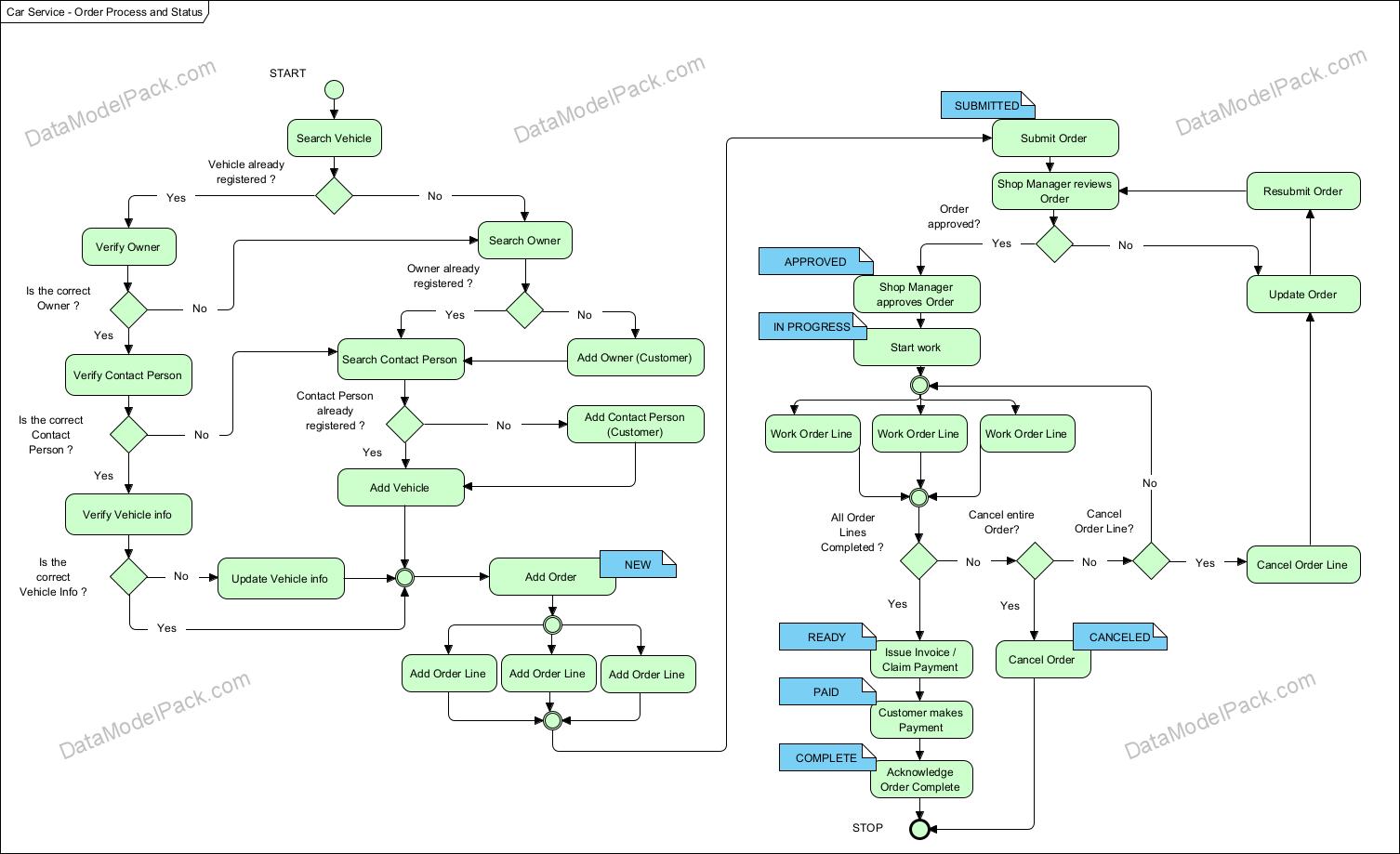
Order Status List
| NEW |
|---|
| SUBMITTED |
| APPROVED |
| IN PROGRESS |
| CANCELED |
| READY |
| PAID |
| COMPLETE |
See Subject Area: ORDER to learn how the process steps map to database tables and columns.
Order Status tracking
The Car Service database schema ensures support to track the Order Status history.
Every time when the Order Status changes from an old status to a new status, the ORDER_HISTORY entity should be updated as follows:
- Create a new record in the ORDER_HISTORY entity to add the new Order Status and the Start Time of the new Order Status.
- Update the ORDER_HISTORY entity to synchronize the ORDER_HISTORY.End_Time of the old Order Status record with the ORDER_HISTORY.Start_Time of the new Order Status record.
See Subject Area: ORDER to learn how the process steps map to database tables and columns.
Accelerate every database schema design with powerful data models
We have already designed the data model and prepared the SQL scripts for creating the database schema objects.

Product
Resources
Support
© 2026 Data Model Pack · Terms of Use · Privacy